

Introducing Pollify: The Most Flexible WordPress Poll for Creators
When we talk about engagement on a website, most people think of comments, likes, or shares. But there’s one powerful element that’s often overlooked: polls.
Polls generate the highest impression and engagement rate on LinkedIn and other social platforms. People usually find polls interactive among all other post types.
Polls are not just about voting- they’re about understanding your audience, driving interaction, and collecting real-time feedback that informs better decisions.
Pollify is a new solution built specifically for modern WordPress websites. It’s 100% block-based, lightweight, and free from all the bloat and clunky experiences typical of older polling plugins like Crowdsignal or other Poll plugins.
If you’re using the Gutenberg block editor, Pollify slides right into your workflow like it was always meant to be there.
In this first part of our series, we’ll dive into why Pollify exists, how it fits into the WordPress ecosystem, and why adding polls is no longer optional for content-heavy, user-driven websites.
Why Polls Are a Must-Have for WordPress Sites in 2025 and Beyond
Online behavior has changed. Users don’t just want to read or watch — they want to participate. And polls are one of the most effective ways to turn passive content into two-way conversations.
Here’s why you need a poll plugin like Pollify on your site:
Higher Engagement Rates
Polls are quick, interactive, and frictionless. They let users voice their opinions in one click. Whether it’s a yes/no vote, a rating, or a simple reaction, it gives your audience something to do.
Valuable Audience Feedback
You don’t need to guess what your users think. Pollify lets you ask questions directly on your posts, product pages, or course content and get immediate, actionable feedback.
Longer Time on Page
Sites that use interactive elements like polls often see increased session duration. That means better SEO signals, lower bounce rates, and higher chances of conversion.
Content Personalization
Poll data can inform what you write next. If 70% of your readers vote for a specific topic or product feature, you know exactly where to focus your energy.
Community Building
When users feel heard, they come back. Regular polls create habits. Habits create loyal readers, customers, and members.
In short, polls transform your content from broadcast to conversation.
The Problem with Most WordPress Poll Plugins
Despite the value polls bring, most WordPress polling solutions are outdated or overly complex.
Here are the most common issues users face:
- Shortcode-heavy setups that break the Gutenberg experience
- Limited free versions with caps on responses or poll count
- Clunky interfaces with slow load times and poor design
- Data trapped in silos– no export, no integration, no insight
- Non-native UI that feels out of place on modern WordPress themes
The worst part? Many of them send your audience off-site just to vote. That’s a guaranteed way to lose engagement and trust.
This is exactly the gap that Pollify fills.
Introducing Pollify: Finally a Poll Plugin Built for the Gutenberg Block Editor
Pollify is the first fully Gutenberg-native poll plugin for WordPress. It’s lightweight, intuitive, and doesn’t require you to learn anything new.
Whether you’re a blogger, course creator, store owner, or marketer- you can create interactive polls in seconds.
Here’s what sets Pollify apart:
100% Gutenberg-native
Each poll type is a block. Just like images or headings. Drag, drop, configure; done.
Unlimited polls and votes (even in the free version!)
No artificial limitations. You can run as many polls as you want, with as many responses as your site can handle.
Multiple layouts
Choose between vertical, horizontal, compact, or list-style polls- based on your design needs.
Reusable blocks & template support
You can save polls as reusable blocks and use them across your site- or include them inside page templates.
GDPR & performance friendly
Pollify doesn’t rely on 3rd-party scripts or external storage. Everything is self-hosted and privacy-conscious.
Pollify gives you more control, more flexibility, and more features– all without the clutter.
Popular Types of Polls You Can Create with Pollify (Free)
Even the free version of Pollify comes packed with useful options, but with Pollify pro- you can do whatever you want. Here are a few popular poll types that you can create with Pollify-
- Single choice polls (radio-style)
- Multiple choice polls (checkbox-style)
- Yes/No or True/False polls
- Up/Down voting
- Claps voting
- NPS feedback
- Kudos & Applause Voting
- Open-text feedback and more
Each block includes settings for title, description, vote limits, result display, layout customization, and more.
You can also define whether poll results are visible before or after voting, and add custom thank-you messages.
Pollify makes it effortless. No steep learning curve. No external tools. Just you, your audience, and powerful insights; right where you already work.
This means your site stays fast, even as you embed more interactive content. That’s crucial for SEO and user experience.
Who Should Use Pollify?
Pollify was designed for creators who want feedback without friction. Whether you’re a solo blogger or part of a growing business, it adapts to your needs. Ideal users include:
- Course creators: Collect feedback after lessons using NPS or simple vote polls.
- Content marketers: Add polls to blog posts to drive engagement and learn what readers want.
- WooCommerce store owners: Get input on product variations or future launches.
- Agencies: Use open-ended polls for client onboarding or quick feedback.
If you’re already using Gutenberg (or plan to), Pollify is the missing engagement tool you didn’t know you needed.
Unlocking the Power of Pollify Pro
Pollify’s free version already covers a lot- unlimited polls, unlimited votes, drag-and-drop editing inside Gutenberg. But if you’re looking to collect smarter insights, enable better voting control, or export results for analysis, that’s where Pollify Pro shines.
Below, we’ll break down the six premium features in Pollify Pro that make it the top WordPress-native alternative to Crowdsignal, plus a clear comparison of what you get with each.
Up/Down Voting or Like/Dislike Polls
Sometimes a simple thumbs-up or thumbs-down says more than a long comment. With Pollify Pro, you can add upvote/downvote or like/dislike blocks anywhere in your content; great for measuring reactions to blog posts, product ideas, UI mockups, or anything you’re testing with your audience.

These blocks load instantly, look clean, and don’t require any extra setup. It’s a frictionless way to gather sentiment at scale.
Example: Embed an upvote/downvote block at the end of each feature update to see what resonates most.
Kudos & Applause Voting (Clap Button)
Sometimes users don’t want to write a full review, they just want to say “Hey, I liked this!” That’s what the Kudos voting block is for. Think of it like Medium’s clap system or a lightweight appreciation button.
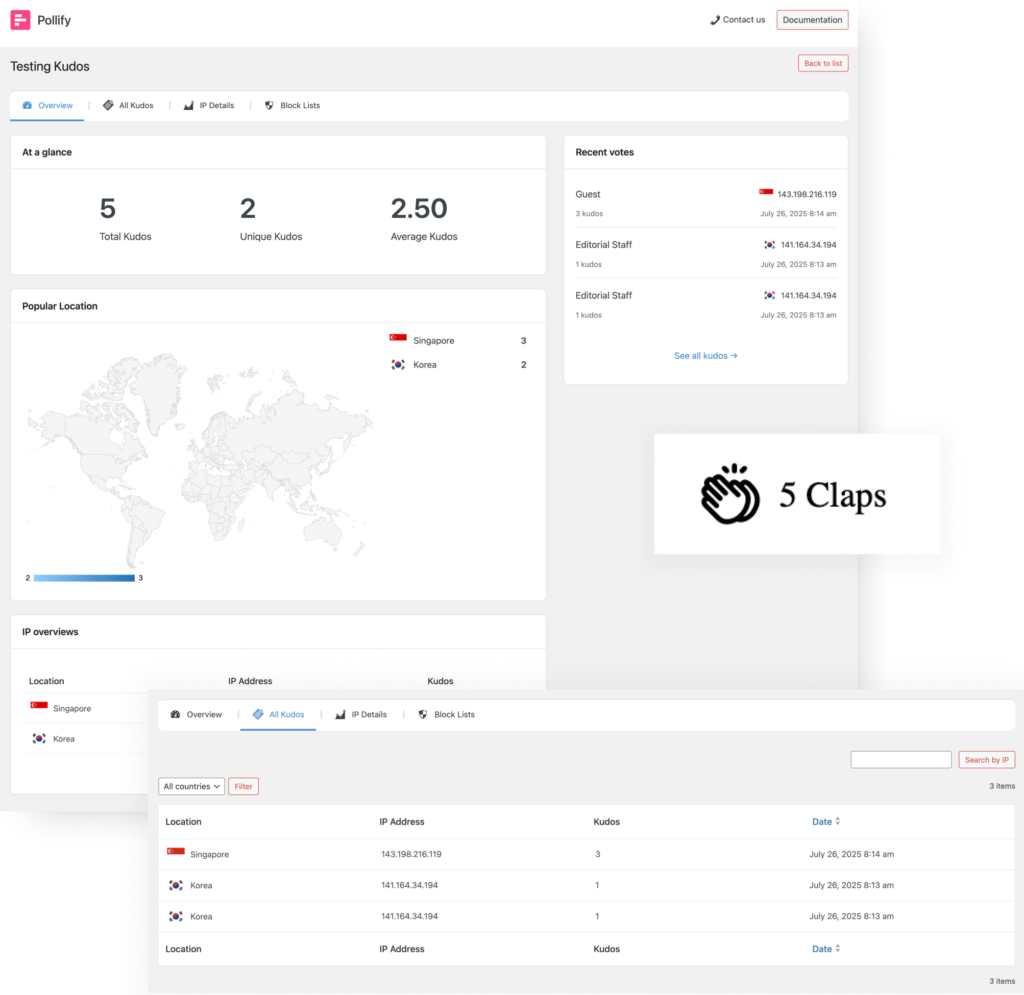
This type of engagement works great for:
- Blog articles
- Case studies
- Portfolio pieces
- Documentation pages
It encourages positive micro-interactions with your content — no typing required.
Great for client sites where the user base isn’t very tech-savvy.
Engagement Block (Open-Text Polls)
This block lets you ask a question and collect open-ended feedback right inside the Gutenberg editor. Unlike regular polls, this allows users to type full responses.
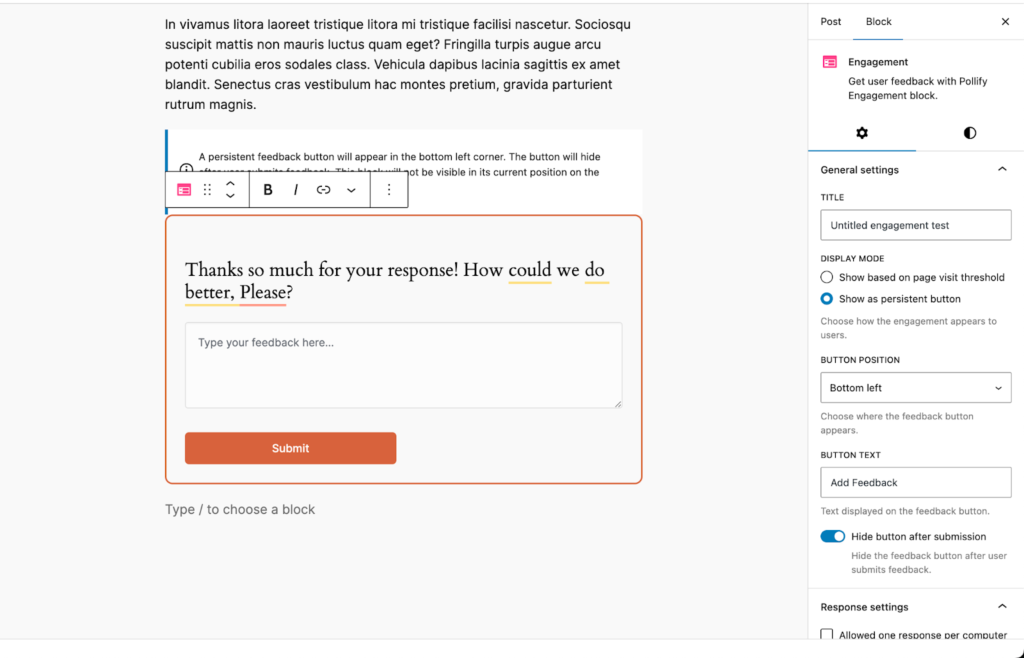
Want to know why people voted a certain way? Ask a follow-up in open text form.
Need customer suggestions on what to build next? Open-text polls give you qualitative data without needing separate forms or plugins.
You can:
- Collect testimonials
- Ask product improvement ideas
- Run audience Q&As
- Gather pain points before launching a new feature
Way more engaging than a basic contact form. And fully block-based.
Export Results in PDF, Excel, CSV, or Word
Pollify Pro gives you full control of your data — not just viewing results inside WordPress, but exporting them in your preferred format:
- CSV or Excel for data crunching and charting
- PDF for clean, presentation-ready summaries
- Word/Docs for sharing responses with editors or clients
Exporting is just a click away. You can download entire poll results, filter by response type, and prepare feedback reports or content insights — without needing 3rd-party analytics.
Ideal for monthly reports, internal reviews, or case studies based on audience input.
Built-in NPS Polls to Measure Loyalty
Want to know how likely your users are to recommend you?
Pollify Pro includes a Net Promoter Score (NPS) block, the gold standard for customer satisfaction.
Ask the classic question:
“How likely are you to recommend us to a friend or colleague?”
(Users respond with a score from 0 to 10)
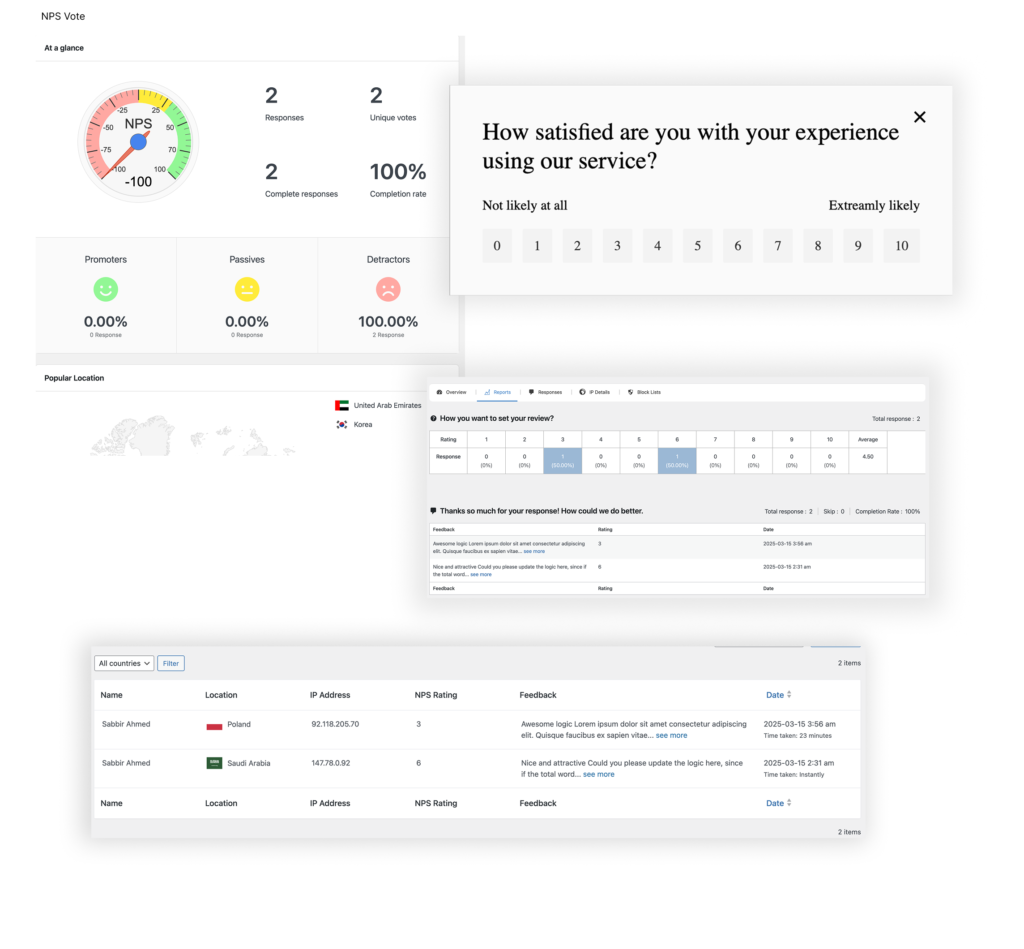
You can follow this with an open-text box for qualitative responses. The NPS format helps you identify:
- Promoters who will refer you
- Passives who are neutral
- Detractors who may churn
Use it after onboarding, post-purchase, or at any point in your funnel.
IP Blocking for Vote Integrity
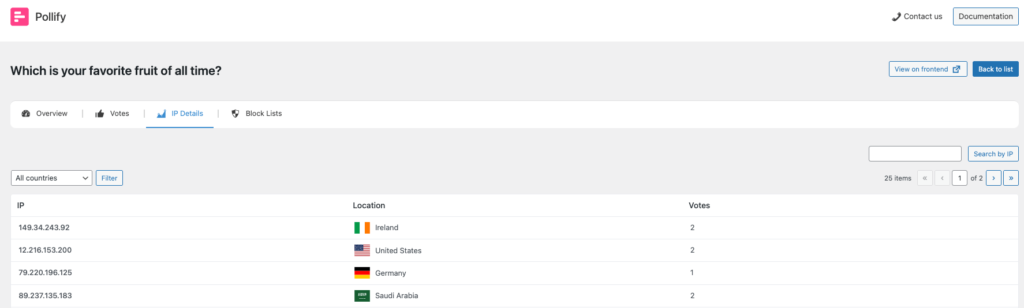
Public polls are great, until someone tries to vote 20 times. With Pollify Pro, you can block specific IP addresses or limit voting to a single time per user. This is a must-have for anyone running:
- Product research polls
- Internal team feedback
- Client satisfaction forms
It helps ensure your poll results aren’t skewed by bots or overenthusiastic voters, keeping your data clean and trustworthy.
Perfect for agency projects or academic research polls where accuracy matters.
Pollify vs Crowdsignal: Why Pollify Pro Is the Smarter Choice
Pollify was built with one goal: to be the most seamless, Gutenberg-native poll plugin for WordPress users.
No shortcodes. No bloat. No need to leave your site just to create or manage a poll.
And when it comes to value, it wins hands-down:
- Pollify Pro: Just $79/lifetime, no renewal
- Crowdsignal: $180/year- recurring, locked features
For solo creators, agencies, educators, and store owners- Pollify gives you more control, better features, and a cleaner WordPress experience.
Here’s a quick side-by-side of how they stack up:
| Feature | Crowdsignal | Pollify Pro |
|---|---|---|
| Block editor support | Limited (via Jetpack) | Full Gutenberg-native |
| Unlimited polls | No | Yes |
| Emoji reactions | No | Yes |
| NPS polls | No | Yes |
| Open text feedback | No | Yes |
| Export options | CSV only | PDF, Excel, CSV, Docs |
| Price/year | $180 | $79 |
Better Frontend Previewing
Pollify Pro improves workflow by adding a quick frontend preview button from all submenus—no more jumping through hoops to see how your poll actually looks live.
This small but thoughtful addition ensures faster editing and easier design decisions.
Developer-Friendly (No Bloat, Clean Code)
Despite being packed with features, Pollify Pro remains lightweight. It’s designed to be developer-friendly and integrates well with most modern block-based themes.
No shortcodes, no jQuery dependencies, and no conflicts with major plugins. If you’re building custom templates or dynamic pages, it just works.
Most importantly, Pollify keeps everything inside your WordPress dashboard. No external dashboard. No Jetpack dependency. No surprise limitations.
Now let’s turn the focus to the how: practical ways creators and businesses are using Pollify to collect feedback, drive engagement, and make smarter decisions.
How Different Users Are Using Pollify Today
Now let’s see the possible use cases for Polls on WordPress-
Course Creators & Membership Sites
Pollify is a game-changer for online educators. With emoji reactions, star ratings, and NPS feedback, instructors are using it to collect insights after every module or lesson. Open text polls also help gather testimonials and course suggestions on the fly.
Example: Add an NPS poll at the end of a course like “How likely are you to recommend this to others?”
Publishers & Bloggers
From political opinion polls to product reviews, bloggers love how easily Pollify integrates with their editorial workflow. It feels like just another block — no separate dashboards or clunky shortcodes to manage.
Example: Use the horizontal layout block to ask readers which product they’d pick in a comparison post.
eCommerce Sites (WooCommerce)
Online stores are embedding quick polls below product pages to gauge customer interest. Store owners use it to test demand before a product launch or understand satisfaction after purchase.
Example: Use open-ended polls like “What feature do you want next for this product?”
Agencies & Client Projects
Pollify Pro is fast becoming a favorite among WordPress agencies. Its performance-friendly design, exportable results, and native look mean you can integrate feedback tools directly into client builds.
Example: Add vote blocks on landing pages or post-purchase surveys in thank-you pages.
Internal Teams / Private Communities
Because Pollify supports IP blocking, vote limits, and live analytics, it’s perfect for internal use too. Teams use it to quickly gauge interest or get feedback during campaigns or roadmap discussions.
Example: Add a poll in internal intranet sites or password-protected pages.
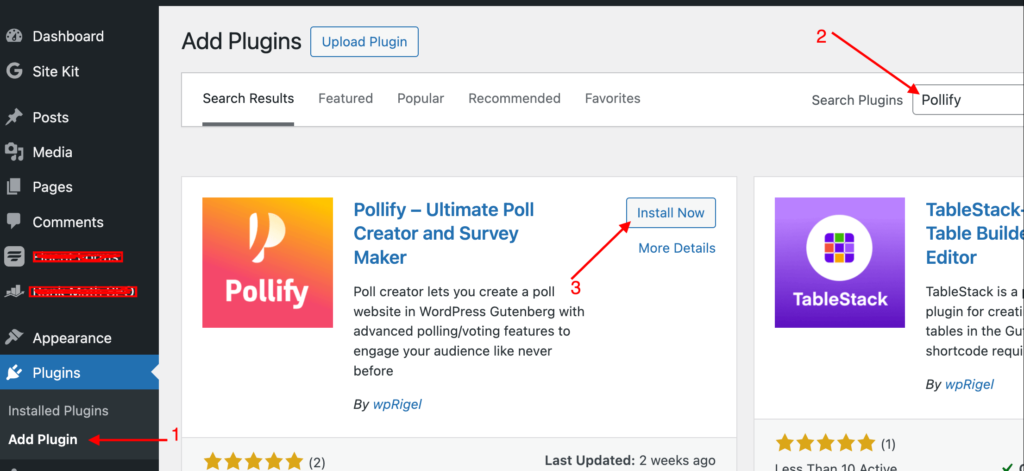
Getting Started with Pollify in 5 Minutes
You don’t need a developer or complex setup to start using Pollify.
Step 1: Install the Plugin
Download Pollify for free from WordPress repository or directly via your site’s Plugins > Add New screen.
Here’s the detailed doc- Getting Started with Pollify: A Poll Plugin Built for Gutenberg
Step 2: Add Your First Poll
Inside the Block Editor, search for “Pollify” to find all available blocks- multiple-choice, NPS, emoji feedback, engagement block, and more.
Here’s the detailed doc- Create and Publish Your First Poll in WordPress with Pollify
Step 3: Customize Your Poll
Set the question, tweak styles (colors, layout, alignment), and choose options like vote limit, IP restriction, or show results.
Here’s the detailed doc on- Customize the Look and Feel of Your Poll in WordPress
Step 4: Publish & Collect Votes
Add the block to any page, post, product, or lesson- just like any native Gutenberg block.
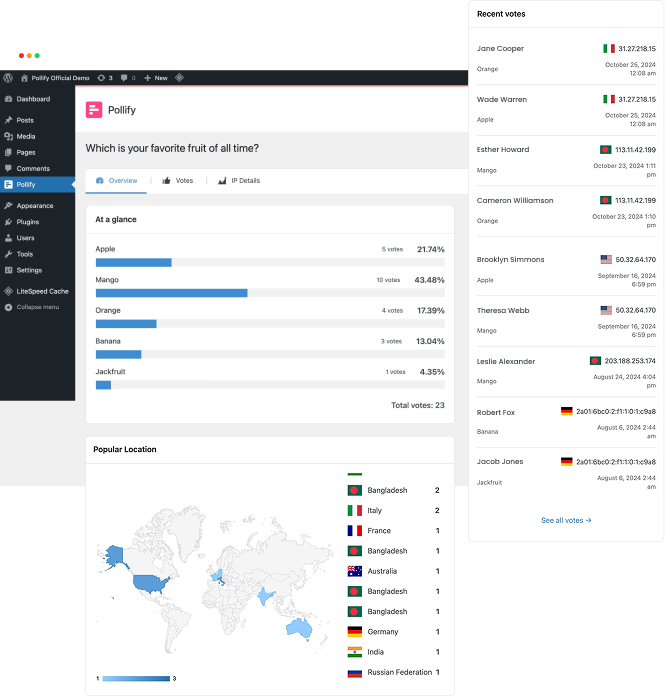
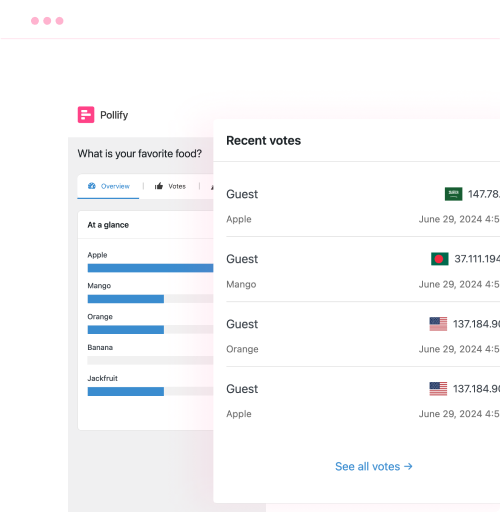
Check the screenshot below-
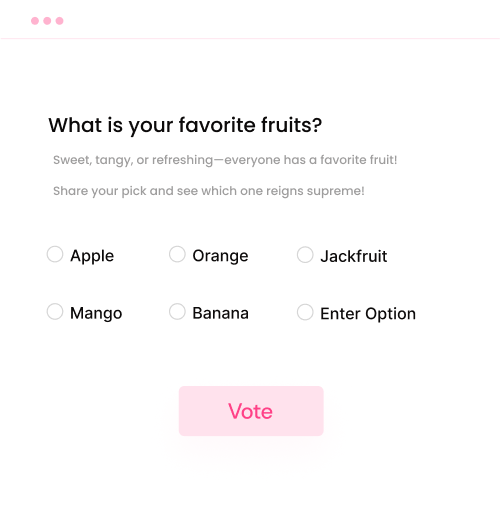
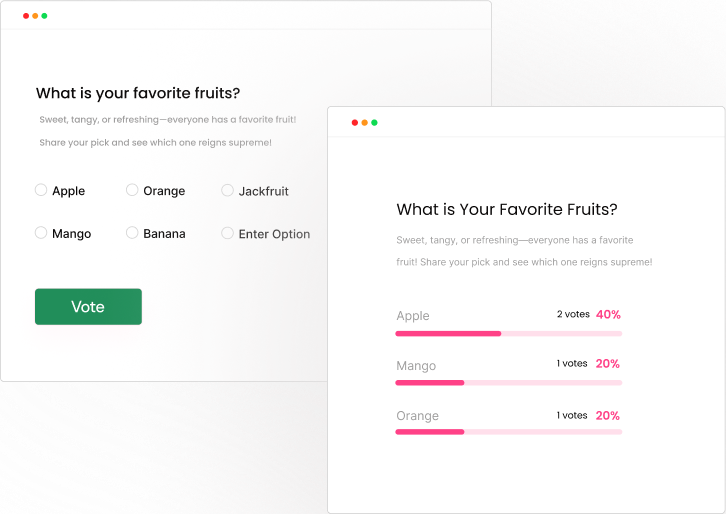
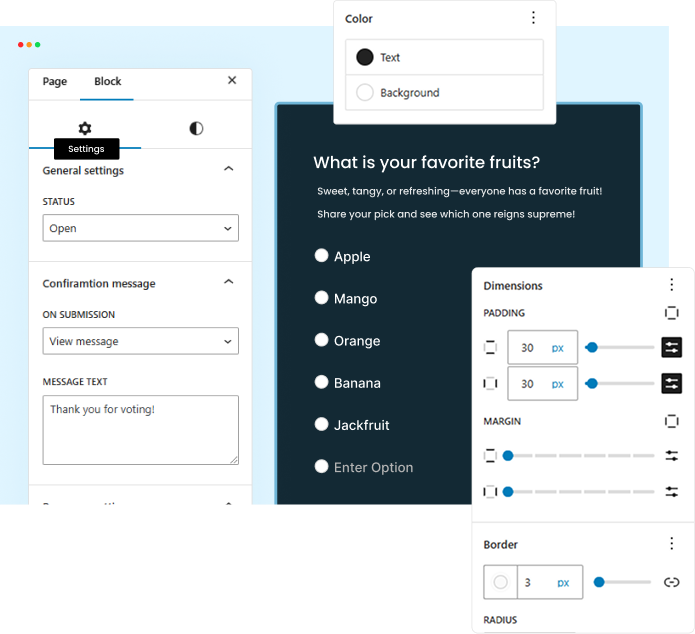
Step 5: View Results or Export
Go to the Pollify dashboard to monitor vote counts, percentages, or export data in Pro (CSV, Excel, PDF, or Docs).
Check all docs on Pollify Free-
- Getting Started with Pollify: A Poll Plugin Built for Gutenberg
- Create and Publish Your First Poll in WordPress with Pollify
- Customize the Look and Feel of Your Poll in WordPress
- Control How and When Your Poll Runs in WordPress
- View Polls on Frontend, Delete Individual Vote Responses
- Analyse Poll Results and Responses
- Control Voting Rules, Timing, Confirmation Messages
- Pollify Block Toolbar & Layout Settings in Gutenberg
- View Polls on Frontend, Delete Individual Vote Responses
Check all docs on Pollify Pro-
- Engagement Block to Collect Open-text Qualitative Feedback
- Export Poll Results in WordPress with Pollify Pro
- Add Up/Down or Like/Dislike Voting to Capture Real Sentiment
- Collect Applause with the Kudos Voting Feature
- NPS Voting to Measure User Loyalty
- Block Suspicious IPs in WordPress
FAQs on Pollify Poll Plugin
Can I use Pollify for free?
Yes! Pollify offers a robust free version with unlimited polls, unlimited votes, and full Gutenberg support. It’s available on WordPress.org.
What’s included in the Pro version?
Pollify Pro includes advanced features like NPS polls, open text responses, export options (PDF, Excel, CSV, Word), vote limits, IP blocking, and the engagement block.
Will it work with my theme or page builder?
Pollify is designed for WordPress sites using the Block Editor (Gutenberg). It works with all modern themes that support blocks, including Astra, Kadence, Blocksy, and default WordPress themes.
Is Pollify compatible with WooCommerce?
Absolutely. You can add polls inside product descriptions, customer dashboards, or thank-you pages using the Gutenberg editor.
Can I export the results and responses?
Yes. Pro users can export poll results in PDF, Excel, CSV, or Docs formats directly from the dashboard.
Is there a refund policy?
Yes. We offer a 14-day no-questions-asked money-back guarantee. If Pollify doesn’t meet your needs, just reach out and we’ll refund your payment.
WordPress Poll Plugin: A Native Way to Engage Users Without Friction
Pollify is more than just a WordPress poll maker. It’s your native, block-first engagement layer for any WordPress site that values user insight.
Unlike other plugins, it keeps everything in your workflow. It doesn’t lock features behind steep paywalls, and it doesn’t send your users to external dashboards.
If you value simplicity, flexibility, and performance- Pollify was built for you. The best WordPress poll plugin for your need.
Early Bird Deal is Live!
Pollify Pro is now available at an exclusive 60% Early Bird discount– only for a limited time.
You get lifetime access to every Pro feature for just $79 (now only for $31 with 60% offer), instead of $180+ like other tools. No renewals. No upsells.
Grab your license now before the Early Bird ends. This deal will never come back.
Let your audience speak. Make your content conversational. Do it the WordPress way- with Pollify!


